



Produce Quarterly Meetings that are Extraordinary and Impressive!
We get it! It can be an enormous amount of pressure to produce amazing quarterly meetings, and it feels like its all on you. Booking Venues, Caterers, Travel, Event Production Teams, coordinating Executives’ Schedules, chasing Powerpoint Presentations, Videos and Speaker notes, finding Guest Speakers, preparing Business Updates and so much more. Not to mention pulling it all together on a limited budget, short timeframe, and all while handling your regular job.
Even if you’re not producing an event on the scale of Apple Quarterly Meetings or a massive Annual Gaming Conference, it needs to be flawless. People are counting on you. You want your event to be professional, effective and most importantly, your colleagues and management want to recognize the return on their investment of money and time. The outcome will have a lasting effect on your business, quarterly meetings are a unique opportunity to have a positive impact.
Whether you are the CEO, Executive Assistant, a Member of the Planning Committee, Internal Communications, or Employee Communications Manager producing your Quarterly Meetings, there are so many things that can go wrong. Even when nothing “goes wrong”, your quarterly meetings might not be as effective, engaging, or impactful as you hoped.
In this post, we’ll break down the production aspects and ensure that you have thought of everything. This will set you up for quarterly meetings that will be enjoyable and engaging, and the feedback from management and employees will be 5 Stars!
Concept, Goals, Resources
Pinpoint the goals of your Quarterly Meetings. Which functional groups will be participating and presenting content? Consider employees, business successes and milestones that need to be recognized and celebrated. Decide what business targets, initiatives, and behaviors you want to drive excitement and alignment around for your audience. These key elements will set the tone for your meeting and help you find the center of the bullseye for what content to include and not to include.
Production Tip: Clarify your Budget. Knowing your limitations will inform every other decision you make. Setting clear and specific budget parameters is a high priority in the planning stages of great quarterly meetings productions.
Identify Key Stakeholders. Be certain of who the decision-makers, planning team, creative collaborators, and presenters involved in your Live Event will be at the earliest possible stage. However, don’t underestimate the most significant stakeholder of all: the Audience. Understand who Audience will be: attendees, offsite locations, remote viewers, and post-live audiences. Whether they are employees and colleagues, business to business, or business to consumer viewers and attendees, being clear about who you are communicating with is critical to crafting your messages.
Finalize Venue, Dates, Partners
These tasks go hand in hand and each will have an effect on the others. You might find that you have to ping-pong between Venue availability, your required dates for business purposes, and the availability of your Presenters and Guests until you settle on exactly the right combination.
- Lock In the Date(s).
- Choose and book your Venue.
- Confirm Partnerships with an Event Producer and Audio-Visual Production team.
- Create a High-Level Run of Show.
- Start a ‘work in progress’ Production Schedule.
- Create a regular meeting schedule with Key Stake Holders.
Pre-Production, Design, Planning
Once you have your venue booked and your dates confirmed, you have your most important parameters and everything else can flow. Decisions will be straight forward because you can now back time your schedule to align with when tasks must be complete.
- Begin with a Site Survey and determine Audio-Visual needs including;
- Audio. How many mics are required? Is the in-house PA System appropriate for your Event? Hint: Probably not.
- Lighting. What are your Stage-Wash requirements? Is ambient lighting design needed? Is there a Product Showcase that requires lights?
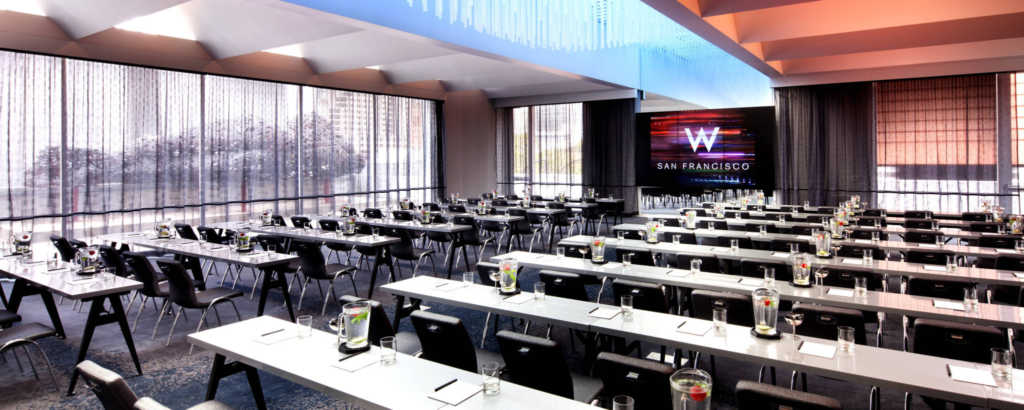
- Staging Requirements. Do you need to build a stage? What is your Seating arrangement, Theater Style? Round Tables?
- Camera and Switching Requirements. Consider Live Stream Goals, IMAG requirements, Slide Presentation, and Video Playback needs.
- Projectors, Screens, Video Walls and Displays. Room Size, Audience Size, Available Light, and Budget will inform your decision about whether to use TV Screens, Projectors or a Video Wall. One important question, can the Audience at the back of the room clearly see what is being presented?
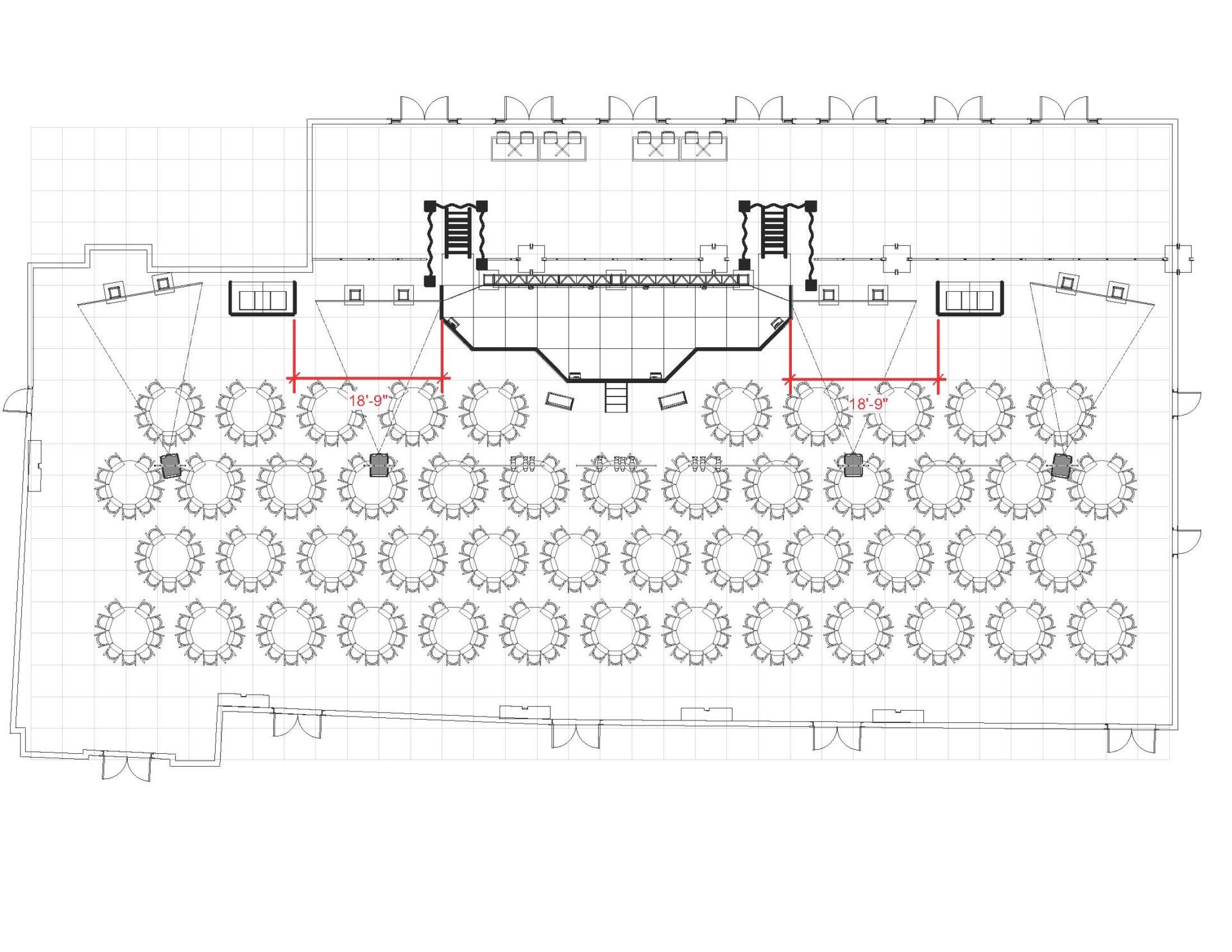
With that information in hand, you need to review important setup details with your team and production partners.
- Evaluate Power Needs. This is a critical step. Most hotels and venues have confronted this before, but if you need to bring in power you need to plan ahead. TIp: Read our article about Event Teams to help determine if you need an electrician.
- Mark Load-In Paths, Loading Docks, and Parking for Trucks.
- Finalize Equipment needs with your Venue and Event Audio-Visual Partners.
- Finalize Crew and Staffing requirements.
- Create a detailed Production Schedule including Load-In, Crew Call, Set Up Times, Technical Rehearsal, Signal Tests, and show-ready rehearsal availability.
Production, Rehearsal, Details, Troubleshooting
Troubleshooting! All good plans allow for change, setbacks, and augmentation. Things change, schedules change, weather changes, agendas change, decisions change, business needs change. You need to be ready. By now, you have created a regular meeting schedule(s) with Key Stake Holders, ideally, the frequency is weekly, or daily as the event date draws nearer. You will be tracking and monitoring several key elements of your event production with the team.
- Update and revise your Production Schedule as required.
- Continue to develop your Run of Show with any new information.
- Room Layout Design Diagrams if appropriate.
- Book additional services including:
- Catering
- Furniture
- Signage
- Polling Services (Review our article on Event Trends, Survey’s, Q&A and gathering data on your attendees and audience is critical
- Registration Staff
- Hotel Internet (you won’t believe how often this is a problem, you turn up on setup day and “Paul” the IT Guy is on vacation” make sure it is connected in your space, turn on and configured. and make sure the Hotel has a plan to troubleshoot if there is a problem).
As this process unfolds, unresolved issues will reveal themselves. Sometimes it is better to communicate an issue to the group and circle back rather than trying to solve every issue immediately. You will be surprised at the number of issues that will self-correct with time and patience!
Setup, Final Checks, Show Ready, Click-Throughs, Technical Rehearsals
Production Tip: Set Up Day has arrived. Don’t Panic!
Your setup production schedule should be back-timed from your scheduled rehearsal start time. Communication, Communication, Communication. Don’t assume anything, If something isn’t happening on schedule, the truck is late, the stage hasn’t been built, the Audio Engineer hasn’t arrived, blow up a phone and find out the situation. You cannot troubleshoot a problem if you aren’t informed. Solvable problems can go without a remedy if you run short of time. Insist on an abundance of communication from your team and partners. Yes! it is absolutely ok to be a badass in a live production situation. Always treat people with respect, but don’t apologize for being assertive.
Production Tip: When executives, keynote speakers, employees, and presenters arrive for rehearsals, you need to have the room, stage and playback “Show Ready” so that presenters and clients get a feel for the how the room, sound, lighting and most importantly media playback will be on show day. This helps build confidence and it may be the only time your Event Production team spends with the presenters, so it is critical to make the most of every second. Focus on the core areas that will be most visible. Slide Decks, Speaker Notes, and Video need to be pre-loaded and ready, the room needs to be rung out and audio levels need to be correct.
Establish a clear leader in the room make sure the chain of communication is well established. The stage manager should be glued to the side of the presenter or guest, answer questions, bring them to the A2 to be mic’ed, pass them a pickle, run them through the downstage monitor configuration, and pass through all client instructions to the production team. The team should support them by making notes on content, fixes, changes to slides or notes, and updates to audio cues.
During this rehearsal and click through, be prepared to manage last minutes changes, but also be prepared for show segments that are not planned according to the client’s vision of the events and content on the stage that you still have time to update before the show!
Showtime! …and Follow Through.
Showday… start early to give yourself some breathing room. The first order of business for the day is a Production Meeting with the entire team. Review the Run of Show line by line and update the team about any changes that occurred during rehearsals or overnight.
Headshot Cheat Sheet. Create a One-Sheet with headshots to easily identify Presenters, Guests, and Executives. Your A2 will thank you! As soon as a Keynote Speaker enters the room, guide them straight to the team to be mic’ed up. With many people arriving simultaneously, time can run short. This headshot cheat sheet will also generally help the Production Team follow the action onstage too!
Approved Music Playlist. Your A1’s idea of an R&B Playlist might look very different from the client. Avoiding Explicit Lyrics isn’t the only concern, the music will set the tone for the Audience as they walk into the room. So be deliberate about your choices here.
Final Decks and Media. You need a Drop Dead Cut Off Time for Final Revisions. It needs to be clearly communicated to all and sundry. You need a final arbiter and decision-maker present with the authority to say no! And you need a clear process and chain of custody for thumb drives, media and downloads.
Production Tip: It is not worth introducing risk to your Event to be accomodating on this point. Nobody wants the wrong version of a slide deck or video to play. But more importantly, Media needs to be checked by the production team, bad video files sometimes won’t play, slide decks sometimes have a missing font, audio levels might be off, the list goes on… The only way to ensure this doesn’t happen is giving the team time to check and double check any media element that will need to be played back during the event.

Production Tip: It is important to have a plan for Media and File Delivery, and any Editing or Post-Production that is required. Decide where Final Presentation decks and Videos should be stored ahead of time. Video Media transfers may be time-consuming and the file sizes quite large, assign the task ahead of time, and plan enough space to store everything. We recommend transferring all Files to Solid State Drives (SSD) for Delivery to the client. Lower cost Hard Disk Drives HDD have moving parts and you risk losing your data. The biggest advantage of this SSD approach is transfer speed!
Final Decks and Media, Part Two. Make sure your V2 has taken a break prior to the arrival of Presenters and is prepared for this last minute flurry of activity. The Event or Live Stream may not start until later, but as Presenters arrive they will inevitably bring changes to their Slides, Slide Notes, or Videos. Multiple individuals may have such revisions, which will mean that your playback operator will be inundated with requests and updates, some of which can be quite time-consuming.
After the show is over, the production isn’t. Strike and Load Out require planning too. Make sure you have the room reserved for long enough to de-construct everything. Make sure you have a schedule for the truck(s) to arrive and park. Most importantly, make sure that the room is completely reset to pre-show state, remove everything down to the tape on the window, and any and all trash.
Depending on your post-show media plans it is a good idea to send links to presentations, share a meeting recap or sizzle reel with participants and the audience without delay. But we will be posting a Post-Production Blog post very soon to deep dive into that subject in detail.
Production Tip: Follow Through! Make sure everyone gets paid promptly. Finally, don’t forget to Thank the People involved with making your event a success! A great deal of hard work and time is invested behind the scenes, a little gesture like a phone call or an email recognizing contributions is appreciated.
